Welcome to The Liquid Audit.
Thank you for considering us. If you found The Liquid Audit through a referral, an ad, or a recommendation, this page is here to make the next step feel easy and official.
You should be able to see the real product website, the current pricing structure, what you get for the money, and exactly how a venue gets set up before you subscribe. That is how we want to treat people who are thinking about choosing us.
Official website
theliquidaudit.com
Entry plan
A$1,188 / year
Current state
Live venue operations
Support commitments
7-day, 2-day, or same-day
The Liquid Audit is a proprietary Omnari Group product currently used by hospitality venues for live event operations, annual subscription onboarding, and controlled rollout.
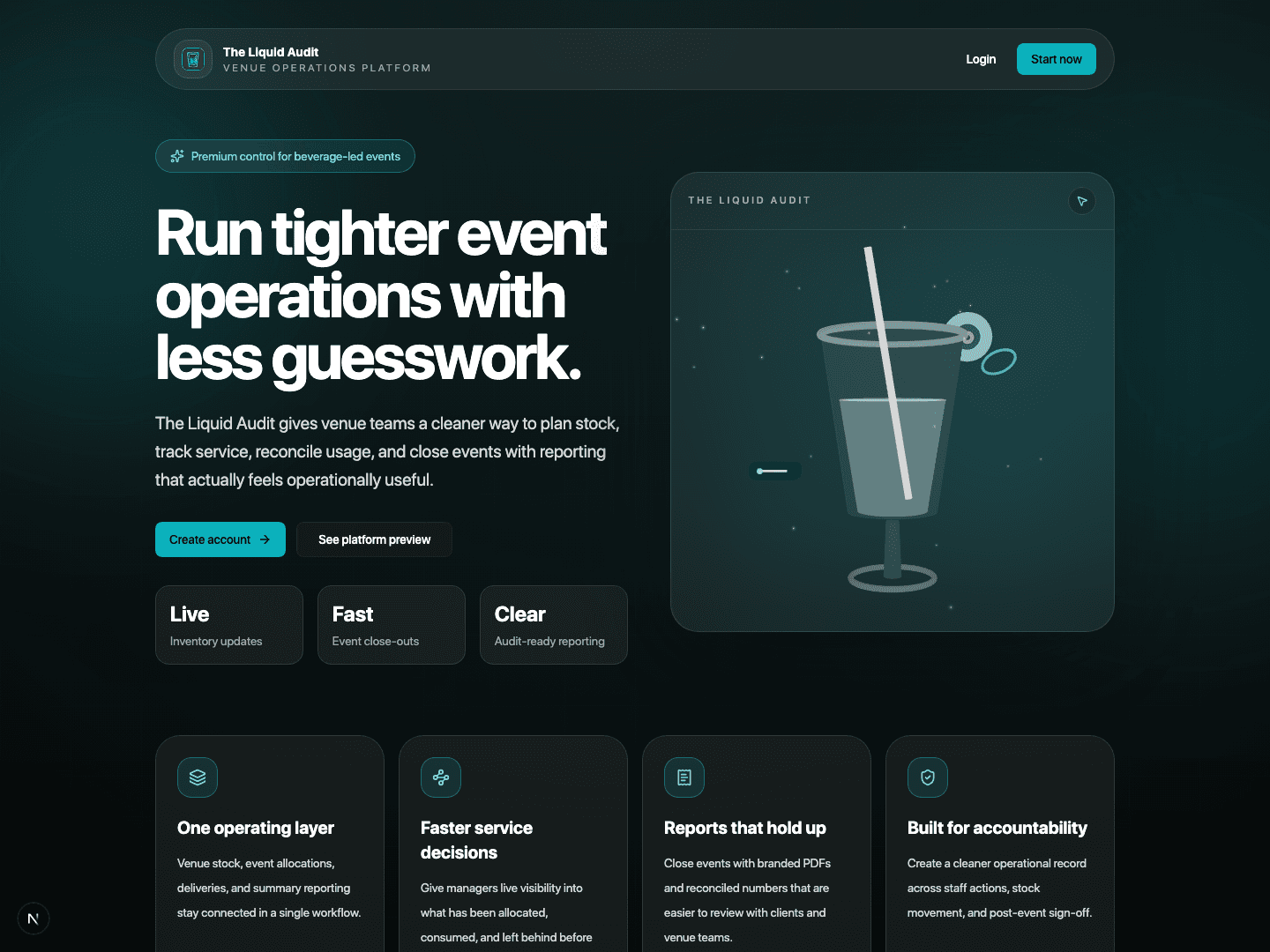
Official product website
Live website view
Manager and finance pack
Start with the decks and video first.
These materials help managers explain the product before the detailed page walkthrough. Finance can see why event speed matters, where time is saved, where money is protected, and what evidence comes out of the app.
Finance walkthrough video
Use this with the decks when the finance team wants to see the live workflow behind the export pack.
A clear client journey
What the setup path looks like from first click to live venue use.
This is the structure we want first-time venues to feel. Clear entry point, clear subscription path, clear setup, clear team access, and clear reporting once service is live.
Visit the official site
Start with the real Liquid Audit homepage so you know exactly where you are subscribing.
Choose the annual plan
Review Starter, Growth, or Enterprise against the scale of your venue, event load, and support expectations.
Create the account and activate
Set up the operator login, receive the owner code after payment, and activate the venue workspace properly.
Control staff access
Team members request access, and owners or venue admins approve the right people before they start operating inside the workspace.
Build the operating baseline
Load stock, reorder logic, packages, templates, and event setup so the venue is ready before service begins.
Run service with oversight
Managers use Command View, live event tools, summaries, exports, and governance pages to keep operations visible and defensible.
Pricing and value
Know what you pay, what you get, and why it is worth it.
We want the commercial side to feel respectful and easy to understand. That means showing the price clearly and putting it in real-world terms that make sense for venue owners and operators.
Starter
A$1,188 / year
About A$22.85 a week, or roughly A$3.25 a day
Annual operating plan for smaller venues that need tighter cost control, cleaner stock accountability, and lower manual reporting time.
Growth
A$2,388 / year
About A$45.92 a week, or roughly A$6.54 a day
Built for luxury hotels and heavier event operations where stronger cost visibility, lower wastage, and faster reconciliation need to justify the spend.
Enterprise
Custom
Commercial terms tailored to estate size
For franchise groups, corporations, and larger estates that need rollout planning, direct priority support, and broader deployment alignment.
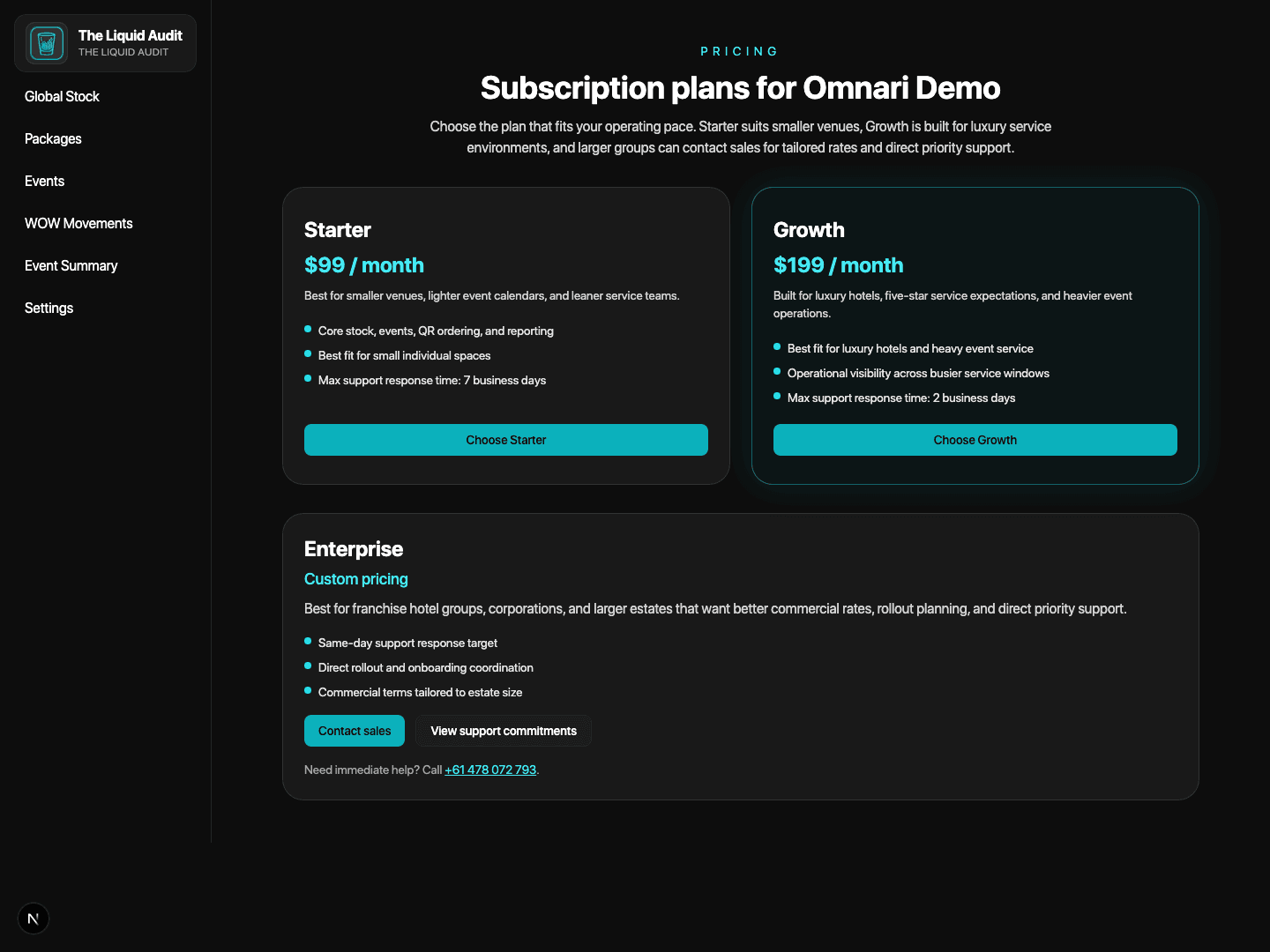
Current annual pricing screen
What venues get for the money
- Annual plans stay connected to owner-code activation, so subscription, workspace setup, and rollout begin in one controlled path.
- Manager Snapshot and Command View give one operating layer for live events, QR order pressure, urgent stock alerts, and revenue pace.
- Global Stock, Purchasing, Packages, and Templates keep receiving, reorder logic, repeat setups, and event menus inside one system.
- Insights, Data Export, Audit Log, Security, and Support keep finance, compliance, branded reporting, and post-event review easier to defend.
Inside the app
The key areas venues usually want to understand first.
These are the main operating areas inside The Liquid Audit. Together they form the structure that helps venues subscribe, set up, run service, and review the results more calmly.
Annual plans and owner-code activation
Subscription, owner-code delivery, and workspace activation are tied together so the commercial path stays clear.
Manager snapshot and command view
Venue leaders get a top-level operating view for open events, QR order load, urgent stock, and current financial pace.
Global stock and purchasing
Inventory Command Center, reorder suggestions, purchase orders, and receiving stay connected instead of breaking across tools.
Packages and event templates
Reusable package sets and runbook-style templates speed up repeat events and reduce setup drift.
Events and QR-ready setup
Event Profile, Ordering Stations, Guest QR Ordering, menu build, and readiness controls are prepared before service opens.
Live service and station control
Service teams can run events with tighter drink control, station flow, and live adjustments while guests order through QR-enabled points.
Insights and close-out reporting
Portfolio Insights, event summaries, close checklists, and branded PDFs keep the post-event review tighter.
Audit, security, export, and support
Operational ledgers, access review, export packs, and support queues keep governance and service commitments visible.
What it looks like
A quick visual preview before the full setup walkthrough.
If you only want the short version first, these are the screens most venue owners and managers usually care about right away.
The screenshots on this page reflect the current product experience so what venues see here stays aligned with what they see inside the app.
Subscription plans
The live subscription screen shows the annual Starter, Growth, and Enterprise structures before workspace activation begins.
Manager snapshot
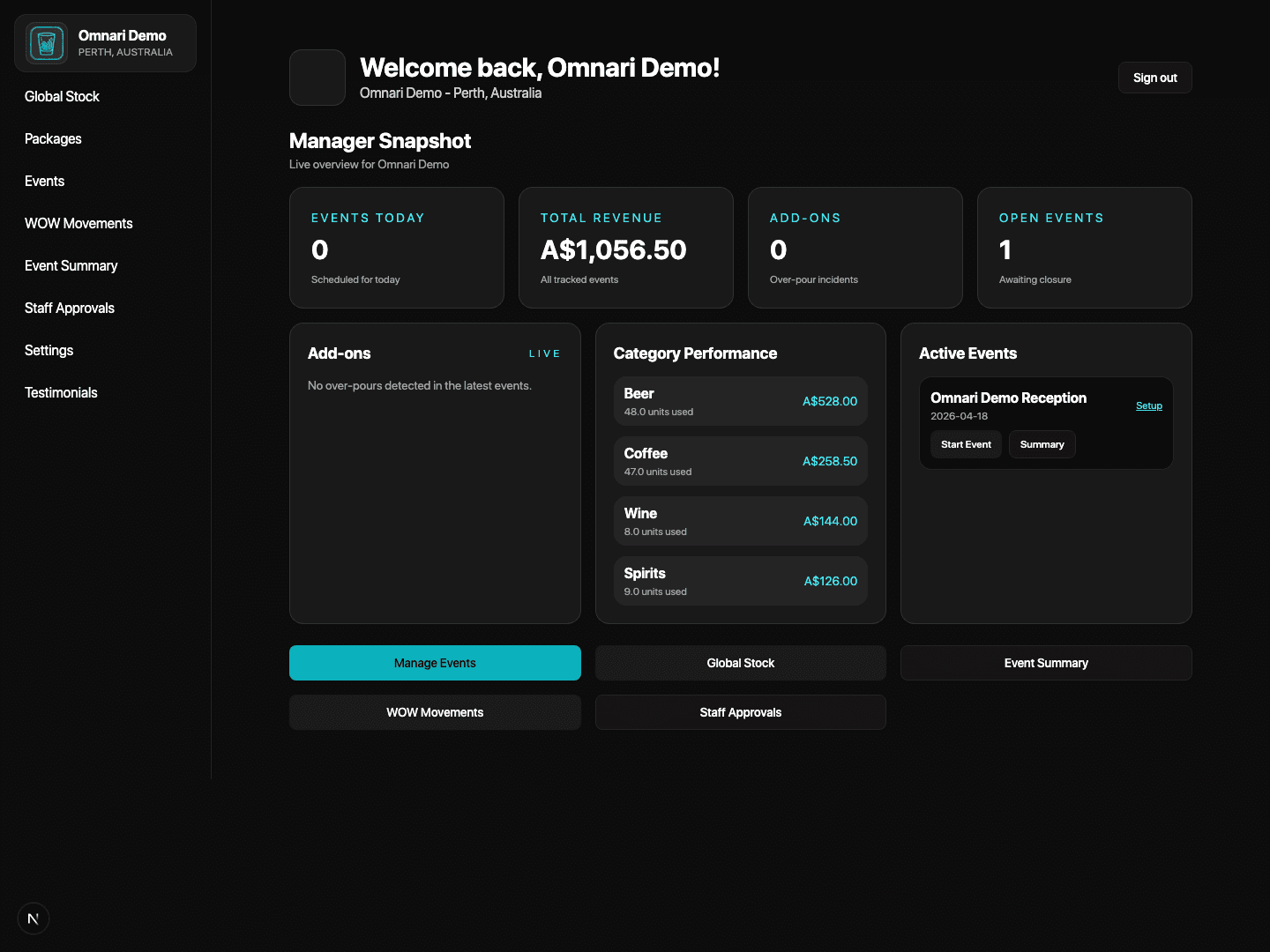
Owners and managers can see current event load, revenue signals, urgent stock, and live order posture from one clean dashboard.
Command view
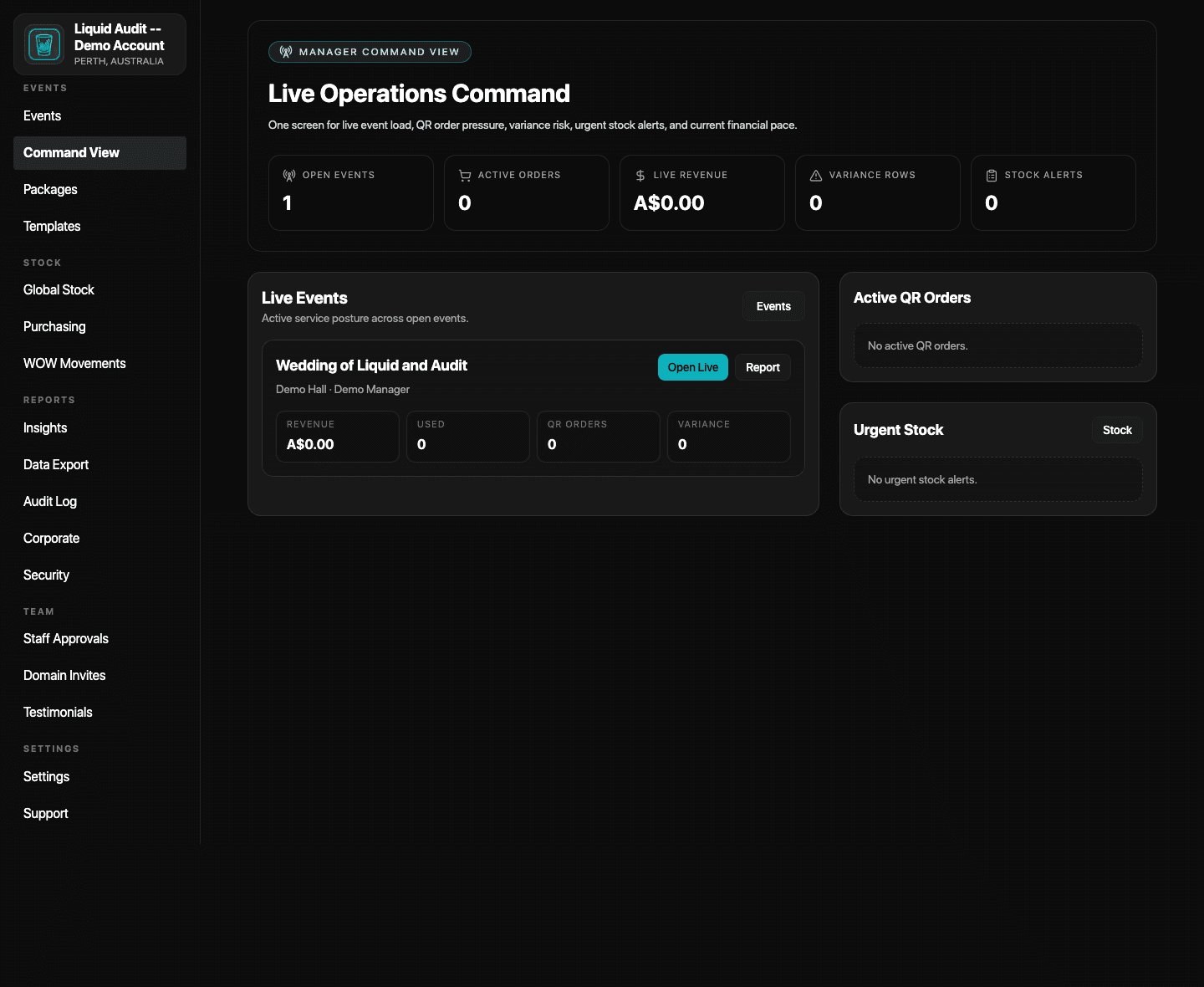
Live Operations Command brings open events, QR order pressure, variance risk, urgent stock, and financial pace into one response screen.
Inventory command center
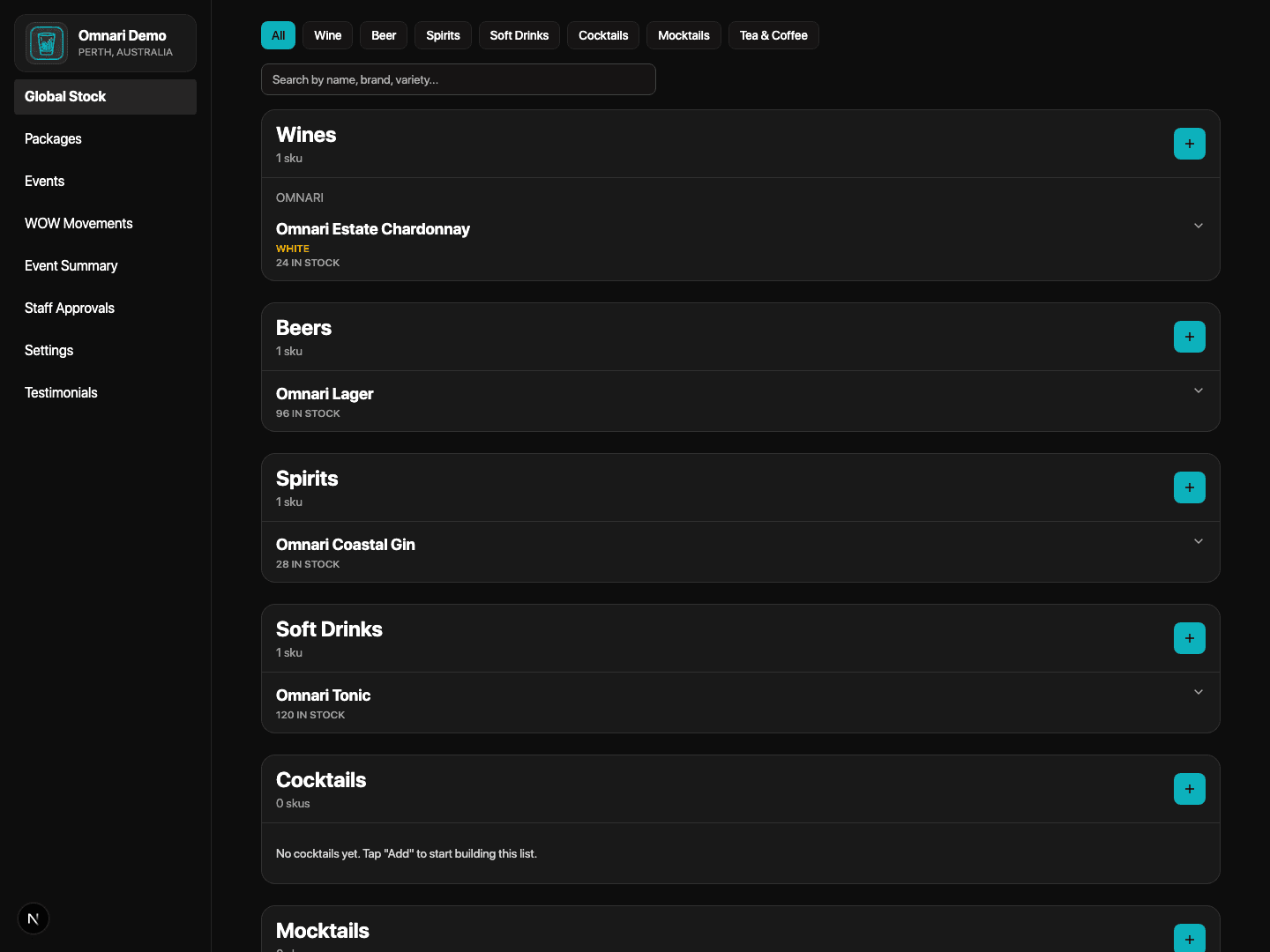
Stock risk, pricing gaps, commitments, count approvals, and suggested ordering now live in one stronger inventory workflow.
Event setup
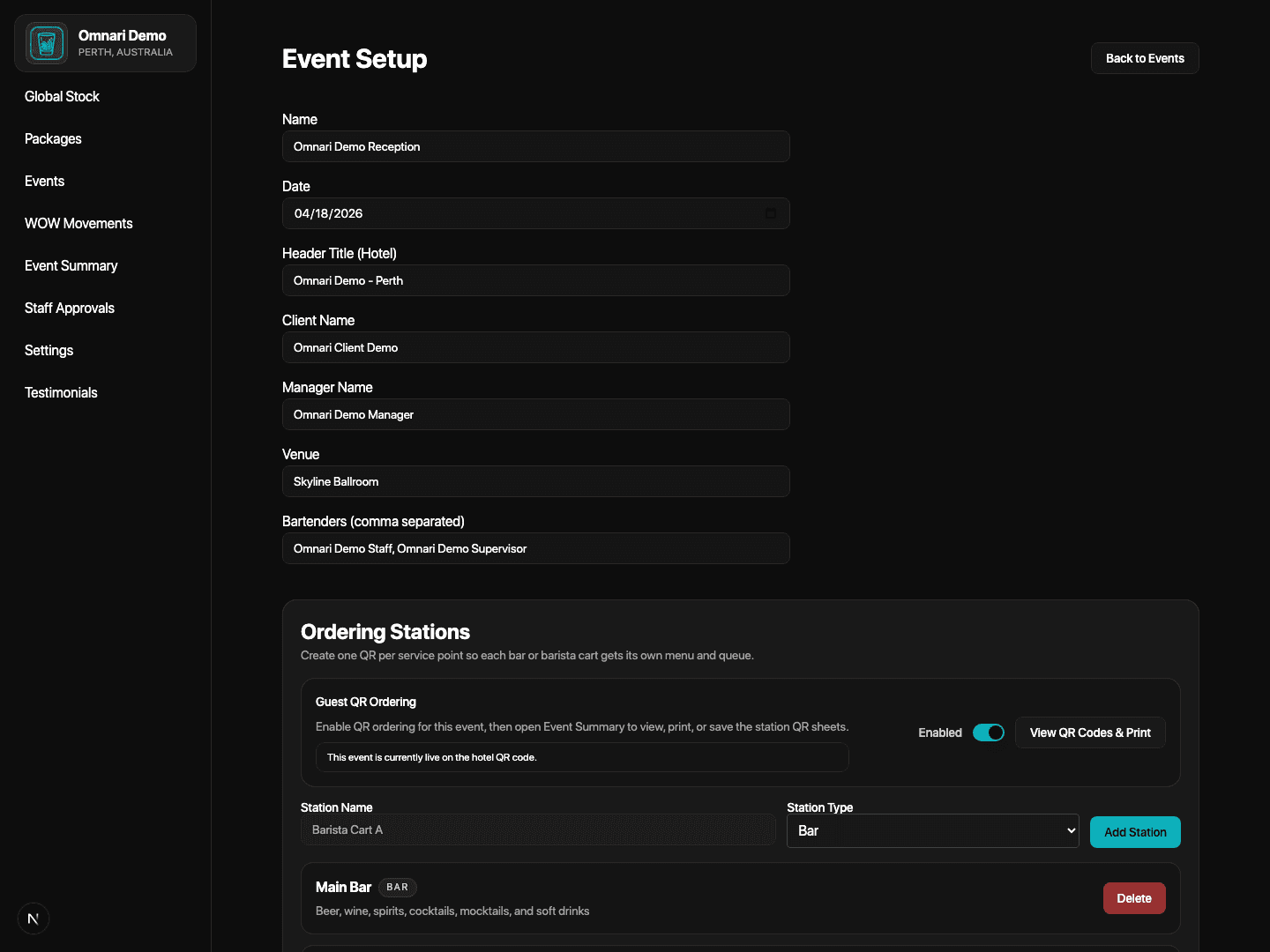
Teams can prepare event profile details, QR-ready stations, menus, templates, and readiness controls before service begins.
Portfolio insights
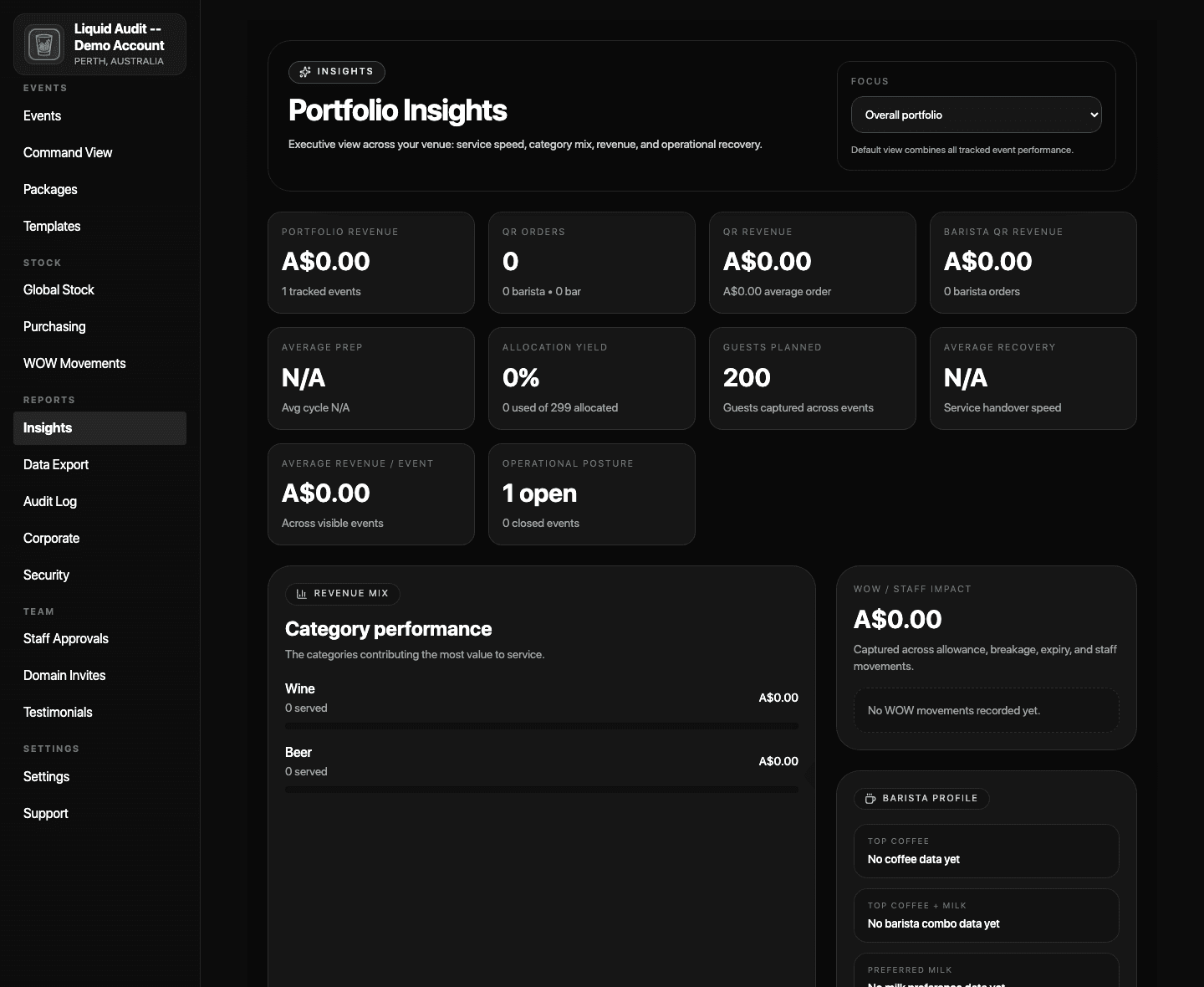
Executive visibility across service speed, category mix, revenue, and operational recovery stays available after events close.
Access and compliance
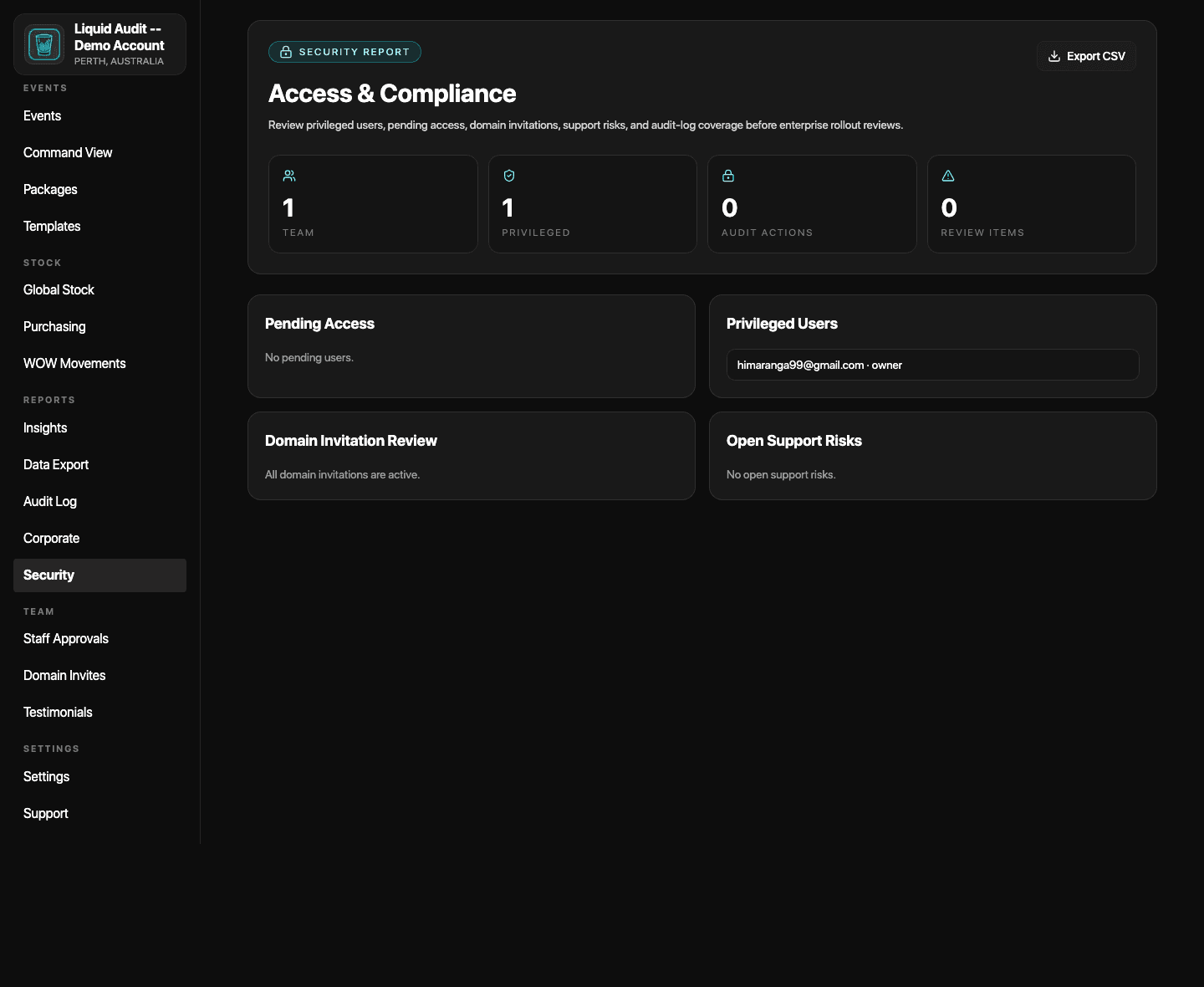
Security review, privileged users, audit coverage, and access posture are visible in a dedicated governance surface.
1. Subscribe with confidence
Start from the official website, understand the annual pricing, and set up the account properly
The first job is clarity. New venues should see the real homepage, understand the annual plan structure, and complete the account setup path before workspace activation begins.
Official homepage
This is the current public product homepage at theliquidaudit.com, including the latest positioning and platform preview.
- Open the official website.
- Read the product overview and value proposition.
- Use the official calls-to-action only when you are ready to move forward.
Annual pricing and plan selection
The live subscription screen now presents annual Starter, Growth, and Enterprise structures before setup begins.
- Review Starter, Growth, or Enterprise against your venue profile.
- Understand the support commitment attached to each plan.
- Complete payment so the owner code can be issued.
Create the account
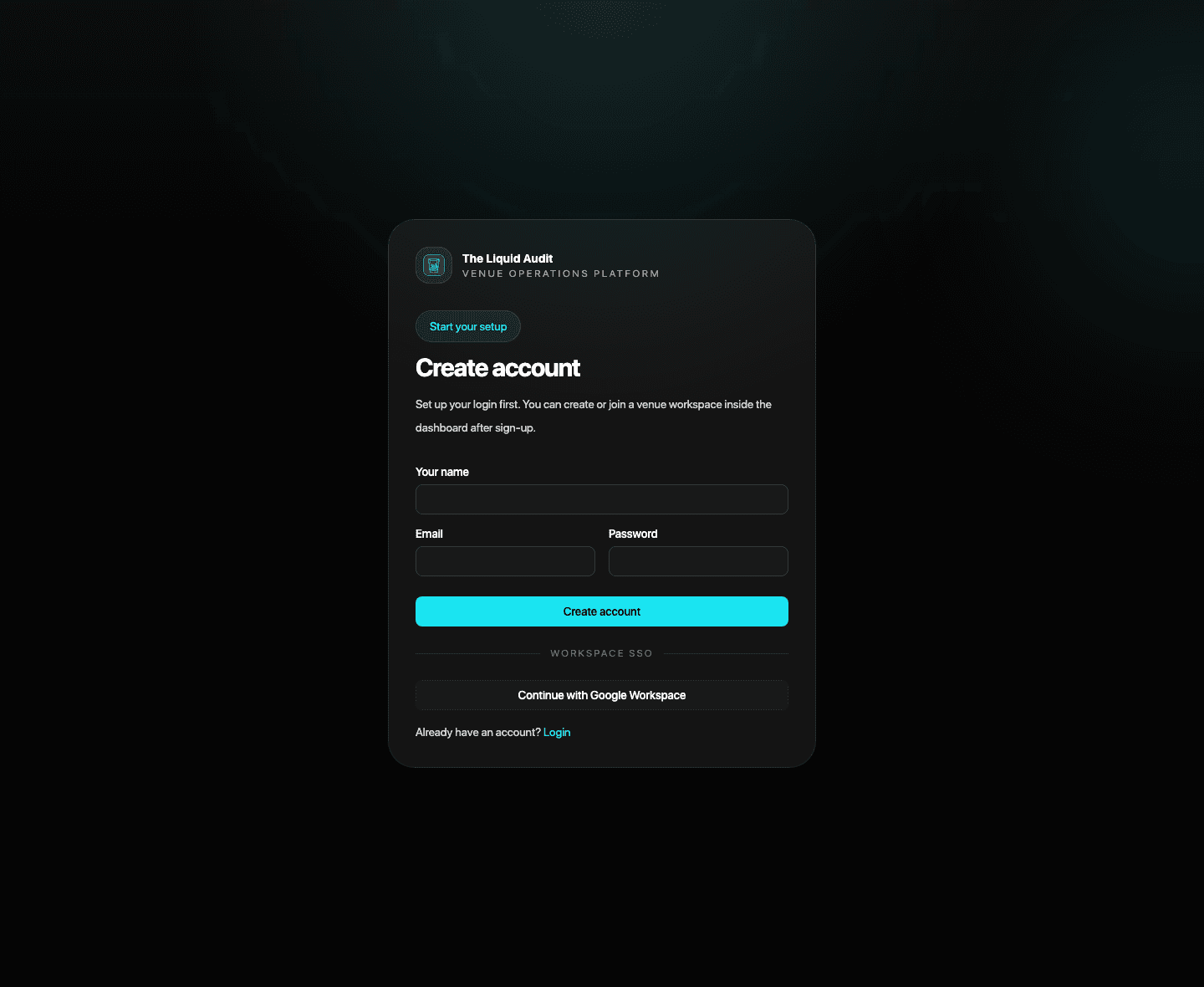
The operator login is created first, before the workspace is activated inside the dashboard.
- Create the core account with the venue owner's details.
- Use the business email that should control the workspace.
- Move into the dashboard only after the account exists.
Ready to move forward?
Start with the official signup path if you already know you want to subscribe, or talk to Omnari first if you want help choosing the best rollout path.
2. Activate the venue workspace
Use the owner code, let staff request access correctly, and keep the workspace controlled
Once the venue decides to subscribe, the owner activates the workspace with the owner code, staff join through the correct path, and managers approve the right people into the venue.
Create Venue Workspace
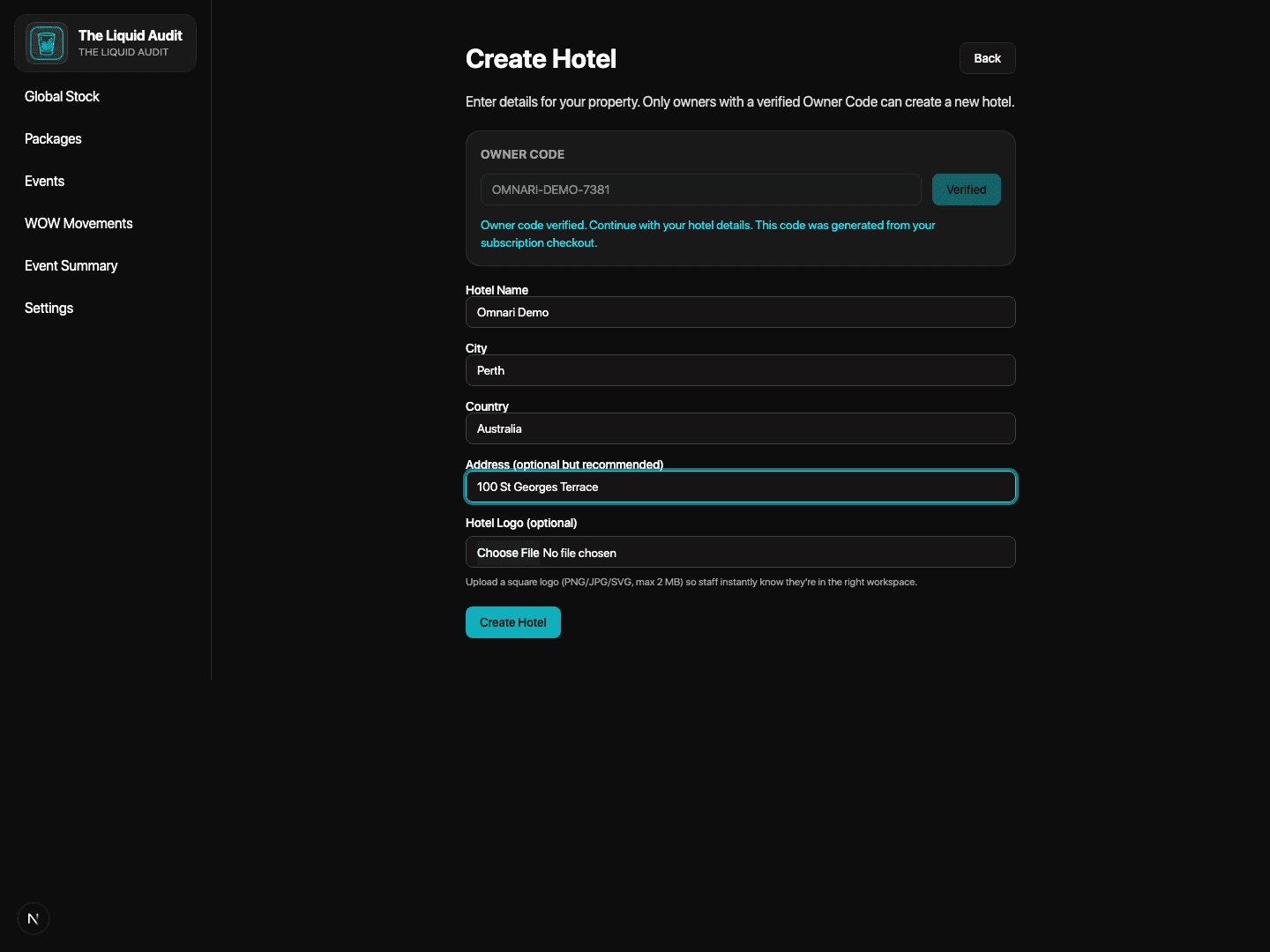
The owner activation screen makes the owner-code path explicit before the workspace is launched.
- Enter the owner verification code.
- Confirm the venue workspace should be created under the owner account.
- Finish the activation so the team can be onboarded properly.
Staff request access
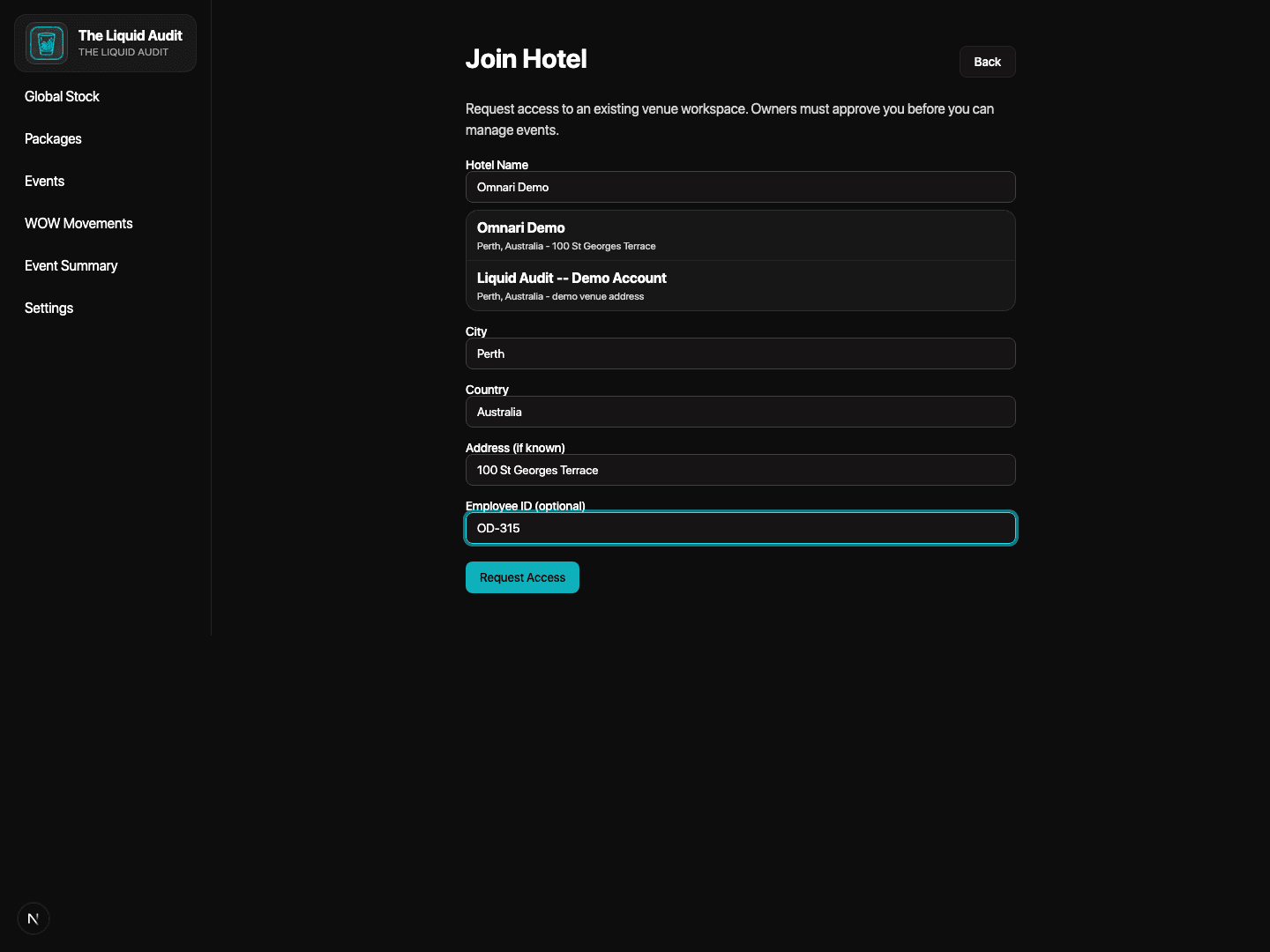
Staff join through the dedicated access path instead of being dropped into the venue automatically.
- Open the existing venue join path.
- Search for the correct venue and use the right employee details.
- Submit the access request for manager approval.
Manager approvals
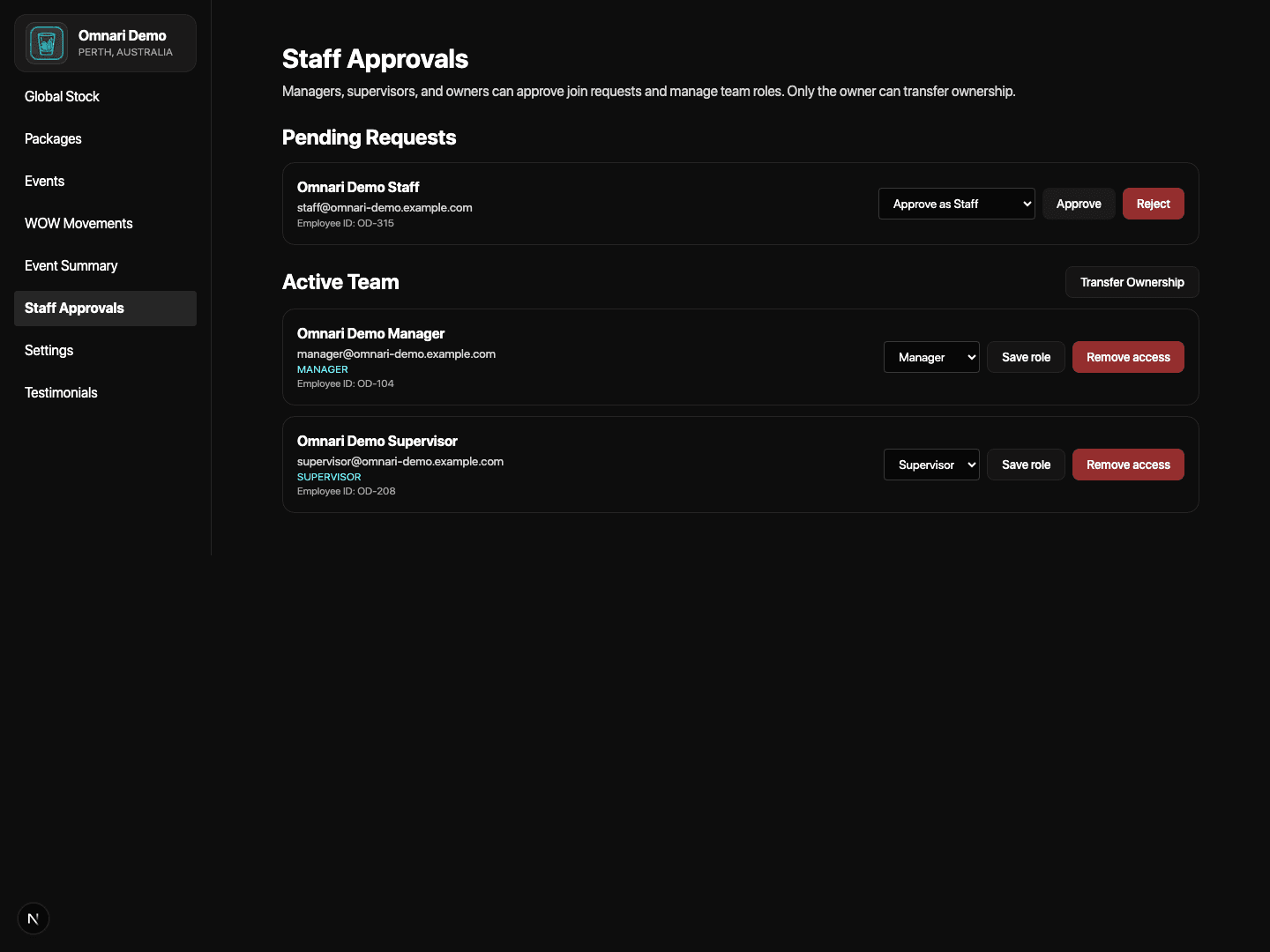
Access stays deliberate because pending requests and active team access are reviewed inside Staff Approvals.
- Managers review pending requests.
- Approve the right team members into the venue.
- Keep ownership and privileged access controlled from day one.
Venue settings and branding
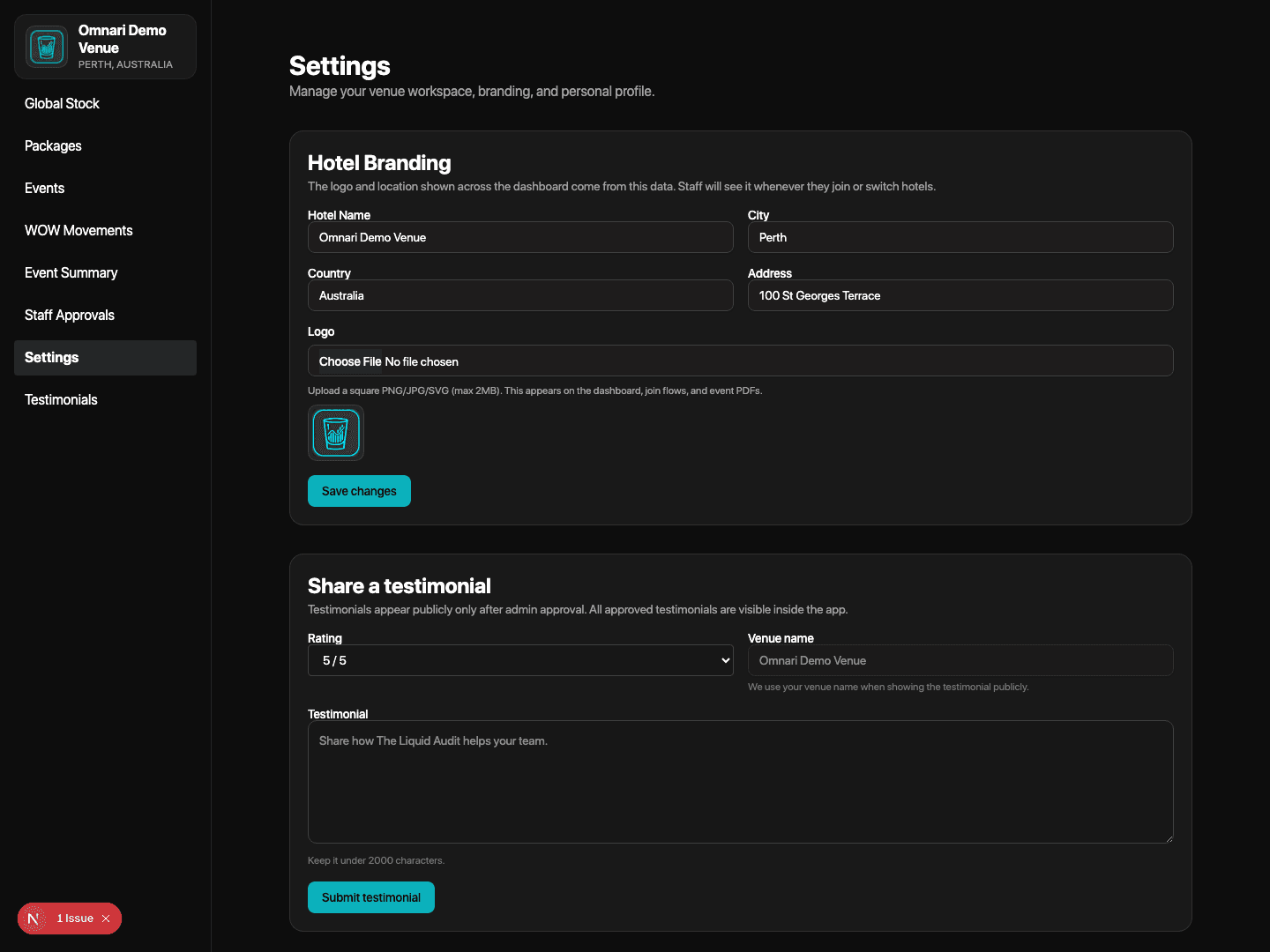
Managers can keep the workspace details, branding, bulk imports, team access, and user profile controls accurate.
- Review venue branding and location details.
- Use bulk import and team access tools where needed.
- Keep the workspace aligned with how the venue wants to operate.
3. Build the operating baseline
Load inventory, purchasing logic, templates, and event setup before service begins
After the venue exists, the next job is building the operational baseline. This is where stock, reorder logic, packages, event templates, live events, and event setup are prepared before service begins.
Global Stock
Inventory Command Center is where stock risk, pricing gaps, commitments, counts, and movement review are brought together.
- Review alerts, pricing gaps, and commitments.
- Search, count, and receive stock from one command surface.
- Use the ledger and attention queue before service starts.
Purchasing Workflow
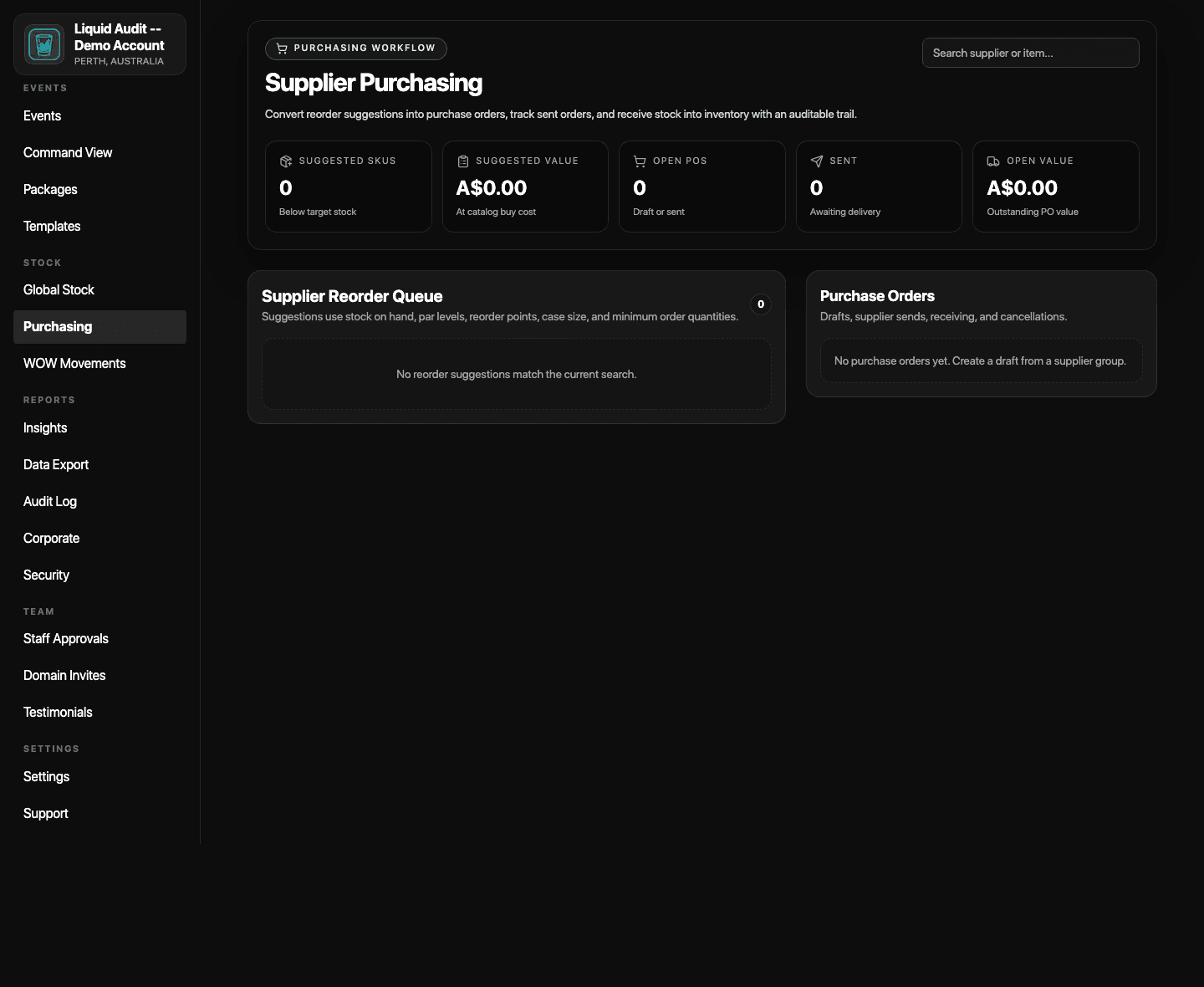
Supplier reorder suggestions and purchase orders now live in a dedicated purchasing layer.
- Review supplier reorder suggestions based on current stock and par logic.
- Create draft purchase orders from the queue.
- Track sent orders and receive stock with an auditable trail.
Packages
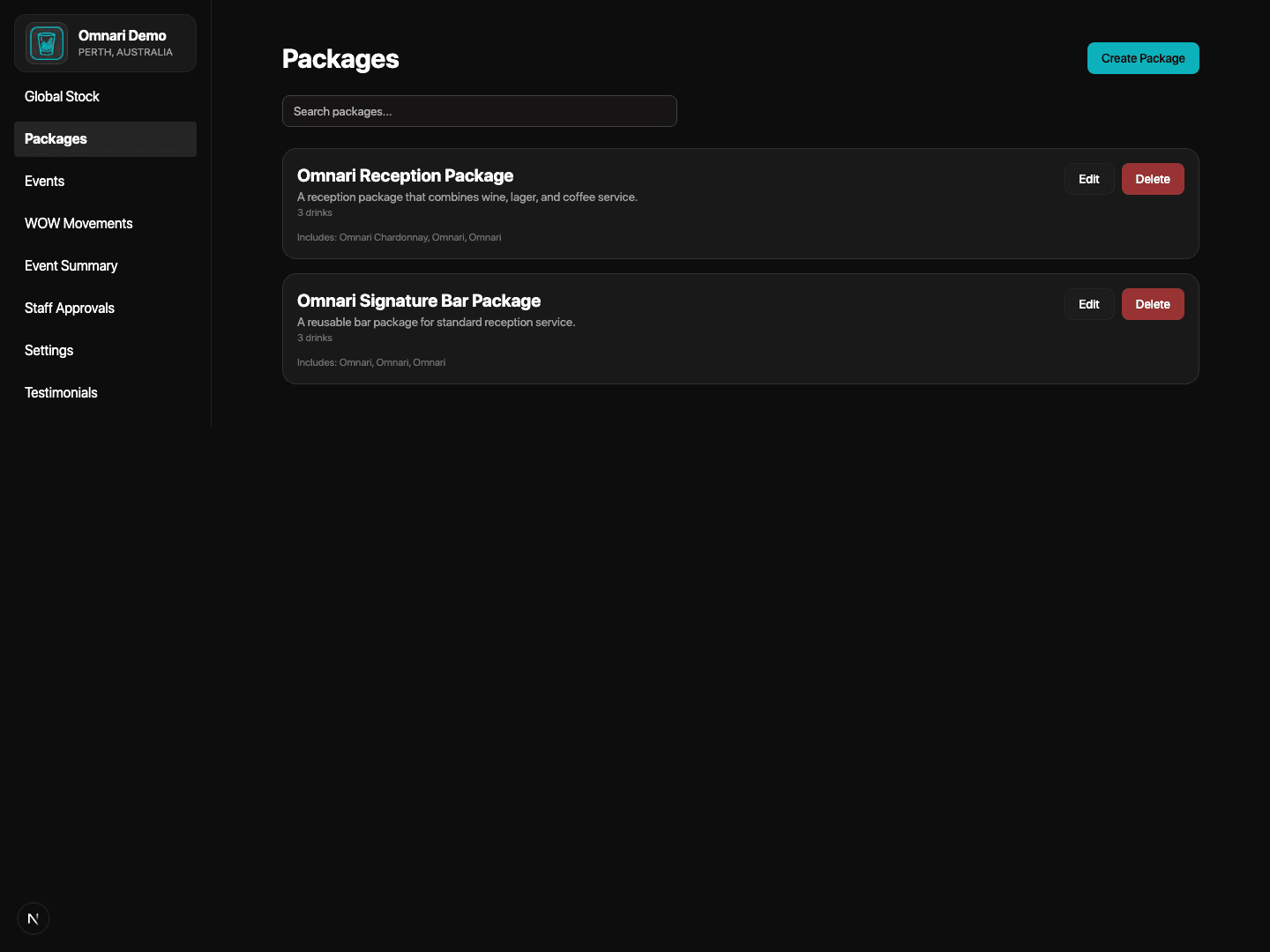
Packages help venues avoid rebuilding the same beverage structure for repeat events.
- Create repeatable drink or service groupings.
- Reuse them to speed up future setup.
- Reduce manual preparation when similar events return.
Event Templates
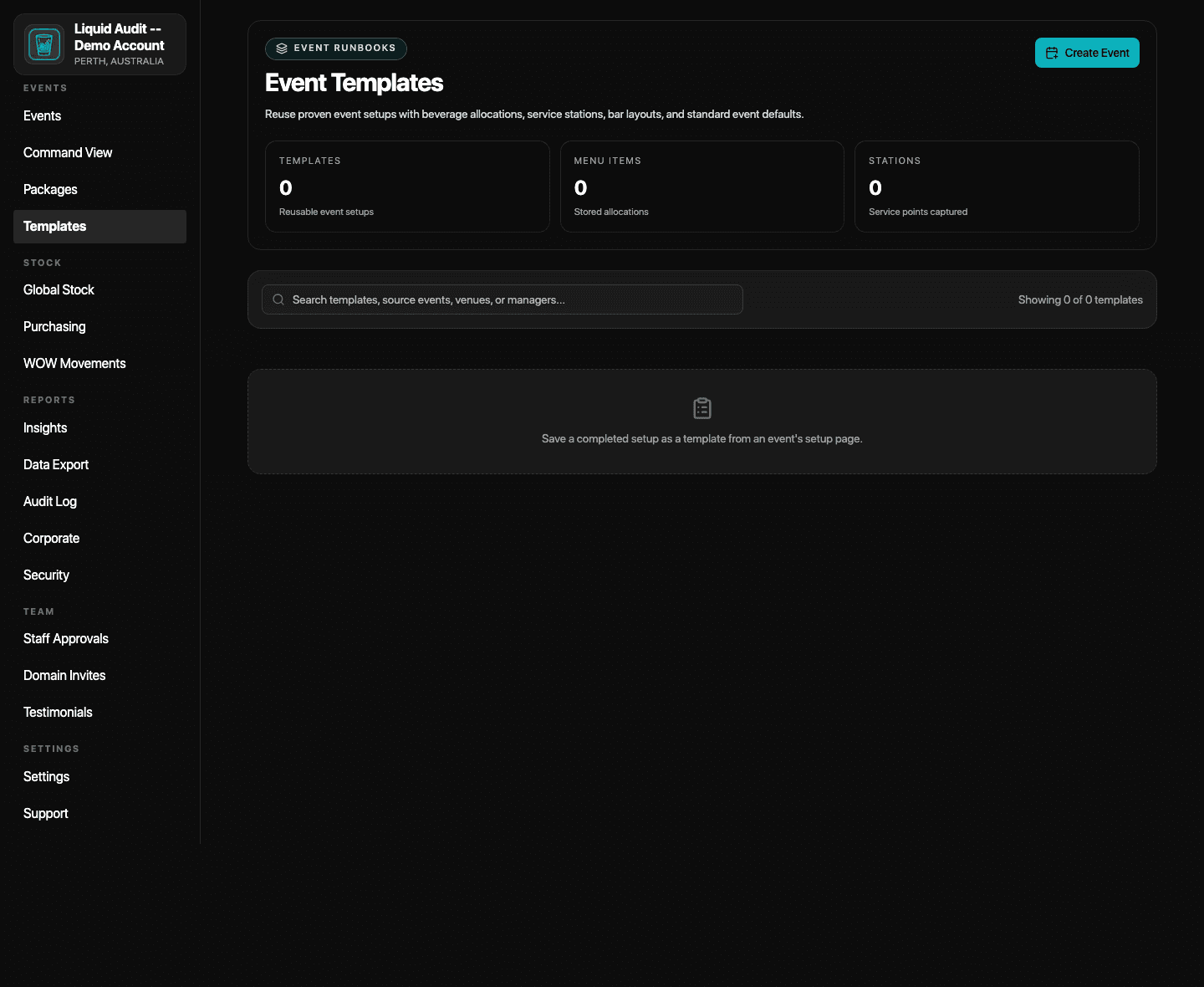
Runbook-style templates preserve proven event setups with beverage allocations, service stations, and default event structure.
- Create reusable event runbooks from proven service formats.
- Store beverage allocations, station layouts, and defaults together.
- Use templates to shorten setup time and reduce drift.
Events
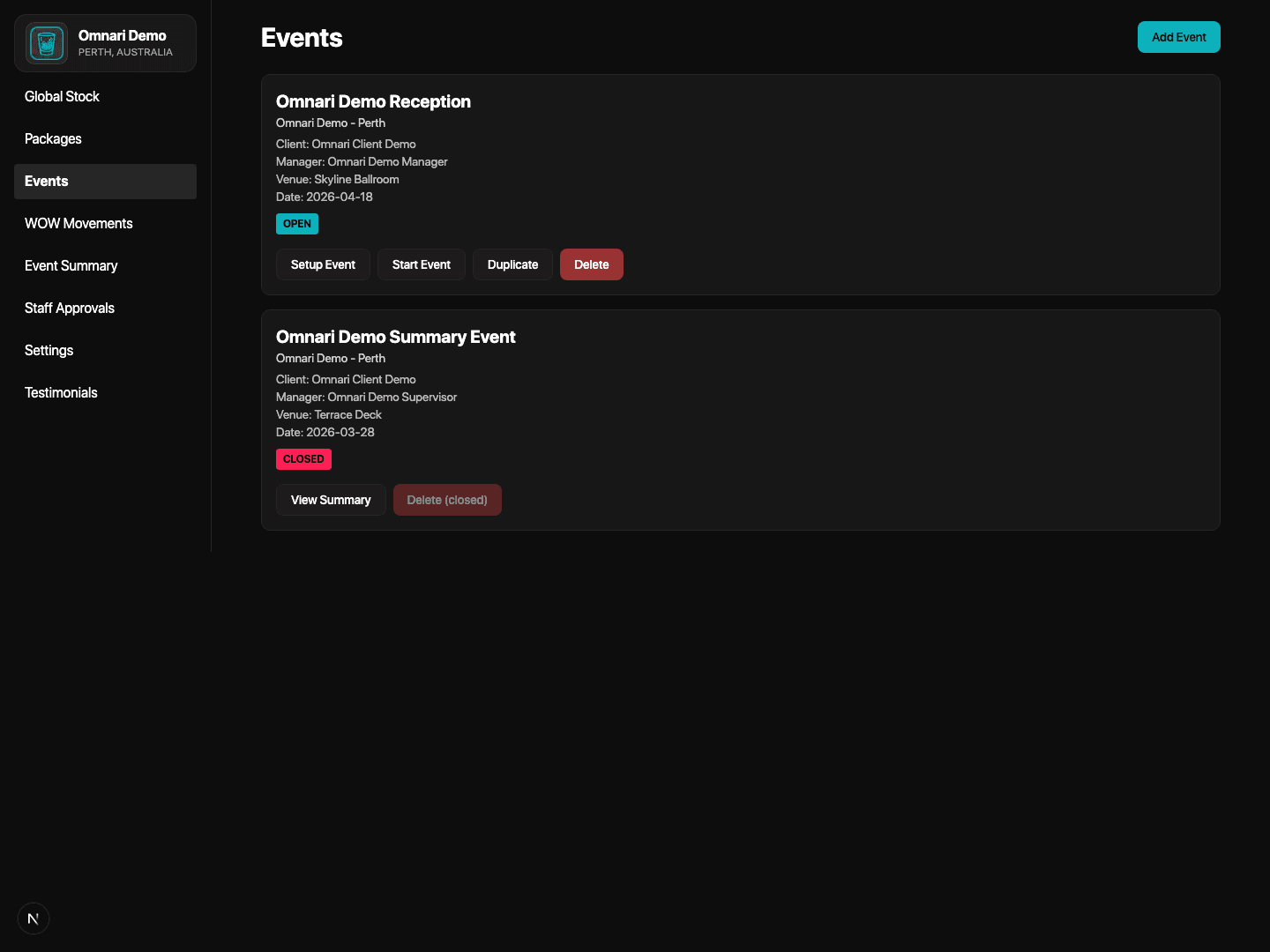
The Events page keeps confirmed, upcoming, and open service activity visible in one operating layer.
- Create a new event when a booking is confirmed.
- Review upcoming and existing events from one view.
- Keep event limits, managers, and next actions visible before the day begins.
Event Setup
Event Setup now combines BEO download, template saving, QR setup, menu build, readiness controls, and service notes before going live.
- Set event profile details and venue-facing notes.
- Configure QR-ready ordering stations and menu items.
- Use the Readiness Desk before service opens.
4. Run service and review performance
Use live command tools, event controls, and insights to keep service visible
Once service starts, the app becomes an operating control layer rather than just a setup tool. Managers can supervise live service, then move into summary and portfolio review without rebuilding the numbers afterward.
Manager Snapshot
Owners and managers get a cleaner picture of current venue posture from the dashboard.
- See open activity and current service signals.
- Keep urgent stock and live order posture visible.
- Use the dashboard as the top-level venue operating view.
Live Operations Command
Command View brings live events, QR order pressure, variance rows, stock alerts, and financial pace into one response screen.
- Review live event load from one place.
- Watch QR order pressure and current revenue pace.
- Escalate from stock alerts or variance risk before service gets messy.
Live Service
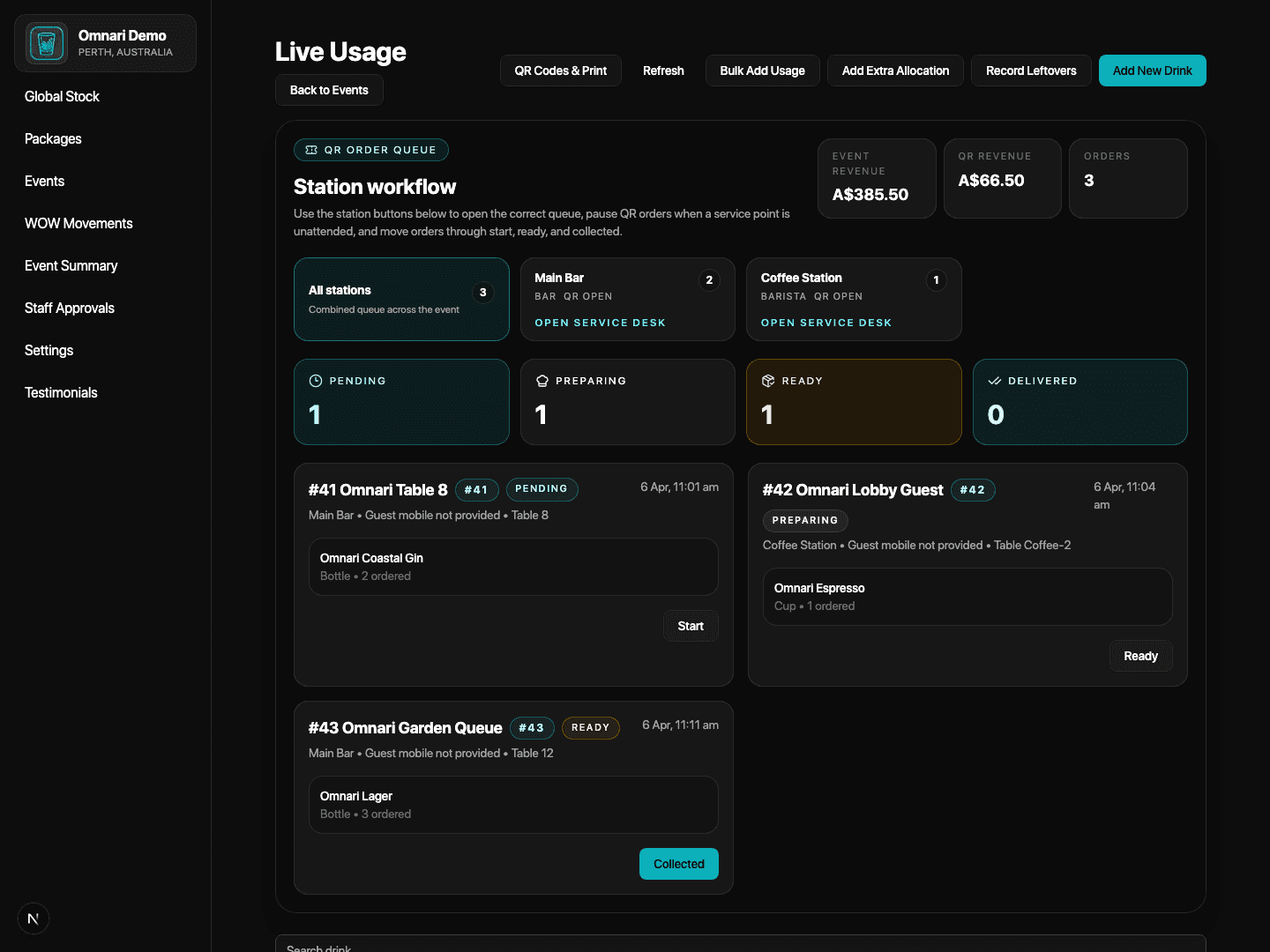
Service teams can run the event like a service desk with tighter drink control, station posture, and live updates.
- Monitor live service activity during the event.
- Keep operators aware of what is happening in real time.
- Use QR-ready or manual station controls without waiting until after service.
Event Summary
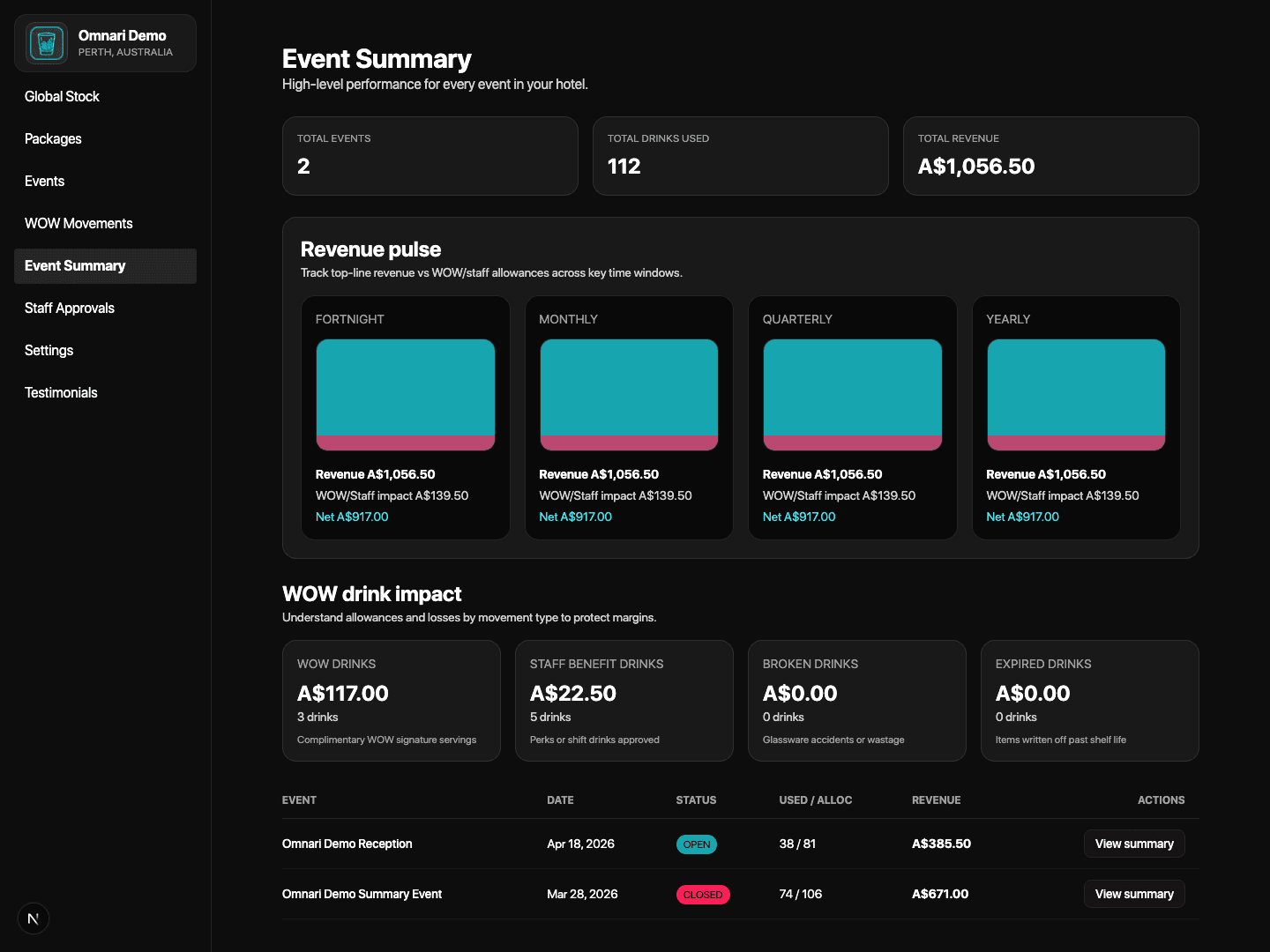
Close-out and review stay easier after service ends with event-level breakdowns, guest QR analytics, and close checklist controls.
- Review the finished event once service closes.
- Use the Event Close Checklist and sign-off flow.
- Keep guest QR ordering analytics tied to the event record.
Portfolio Insights
The Insights area gives an executive view across service speed, category mix, revenue, and operational recovery.
- Review the current venue portfolio from one screen.
- Compare category performance and event register trends.
- Use the insights view for post-event operational review.
5. Keep finance, compliance, and support under control
Use exports, audit surfaces, security review, support tracking, and movement records as the operating backstop
The Liquid Audit now goes beyond service execution. It also gives venues a stronger governance layer around finance packs, audit history, access review, support response, and stock movement controls.
Data Export
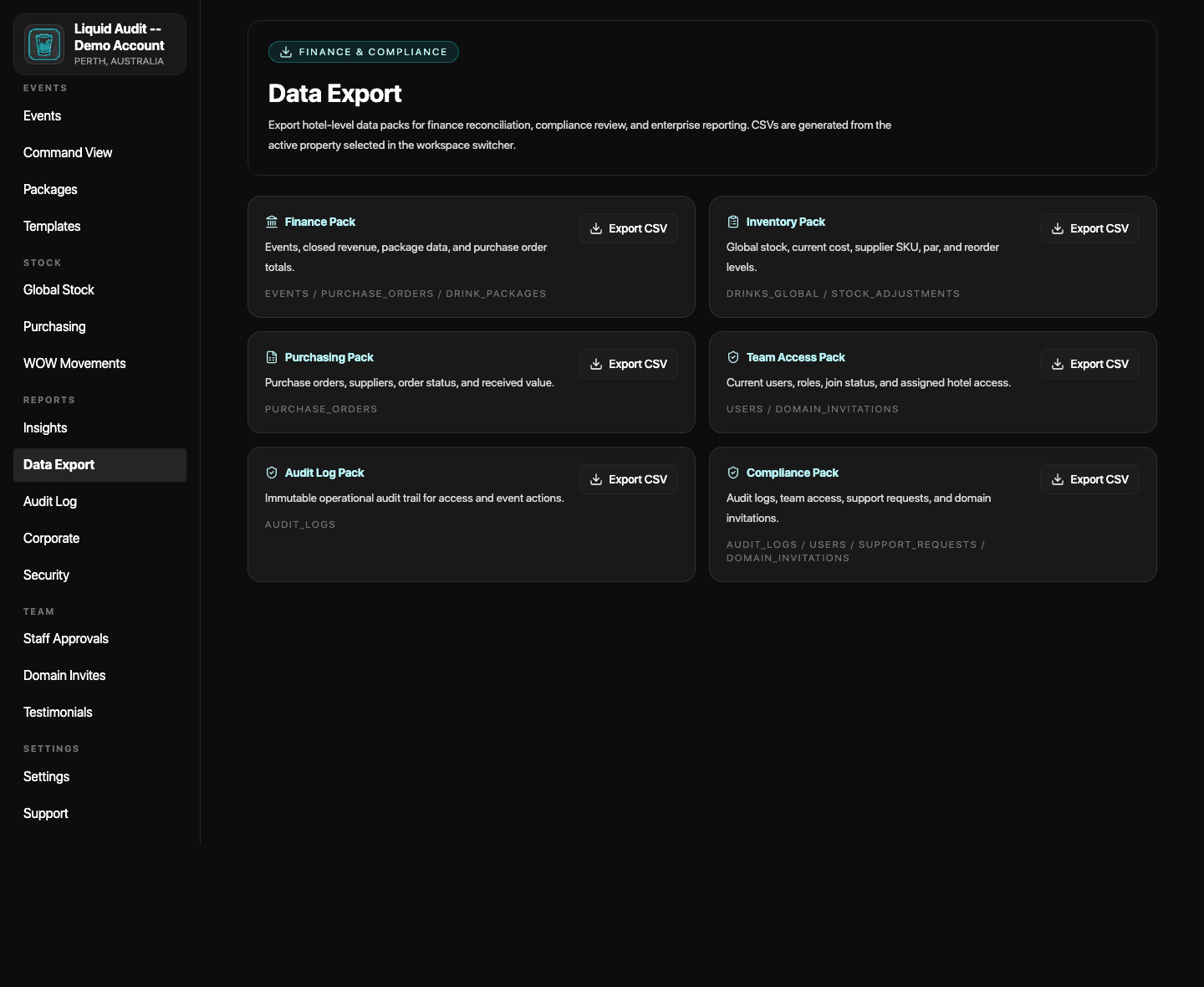
Finance and compliance exports are available from a dedicated data export surface.
- Generate hotel-level export packs for finance and compliance review.
- Use the active workspace property as the export context.
- Keep reporting packets easier to compile after service.
Audit Log
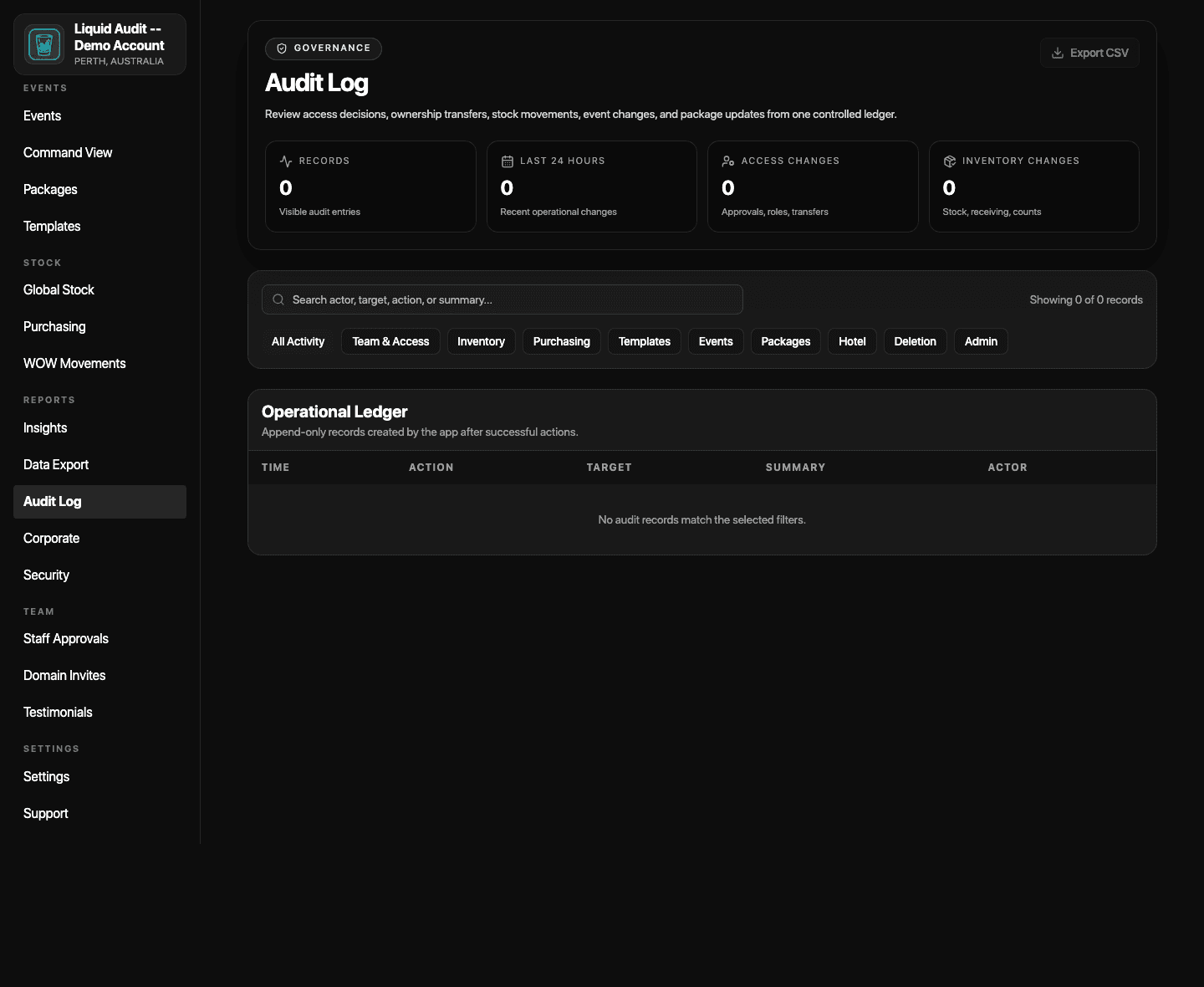
Operational ledger history is available for access decisions, stock movements, package updates, and event changes.
- Review key operational changes from one ledger.
- Export the log when finance or governance teams need it.
- Preserve a stronger audit trail across venue activity.
Access & Compliance
Security review now surfaces privileged users, pending access, domain invitation review, support risks, and audit coverage.
- Check who holds privileged access.
- Review pending access and invitation posture before rollout reviews.
- Use one security page instead of checking multiple areas manually.
Support Panel
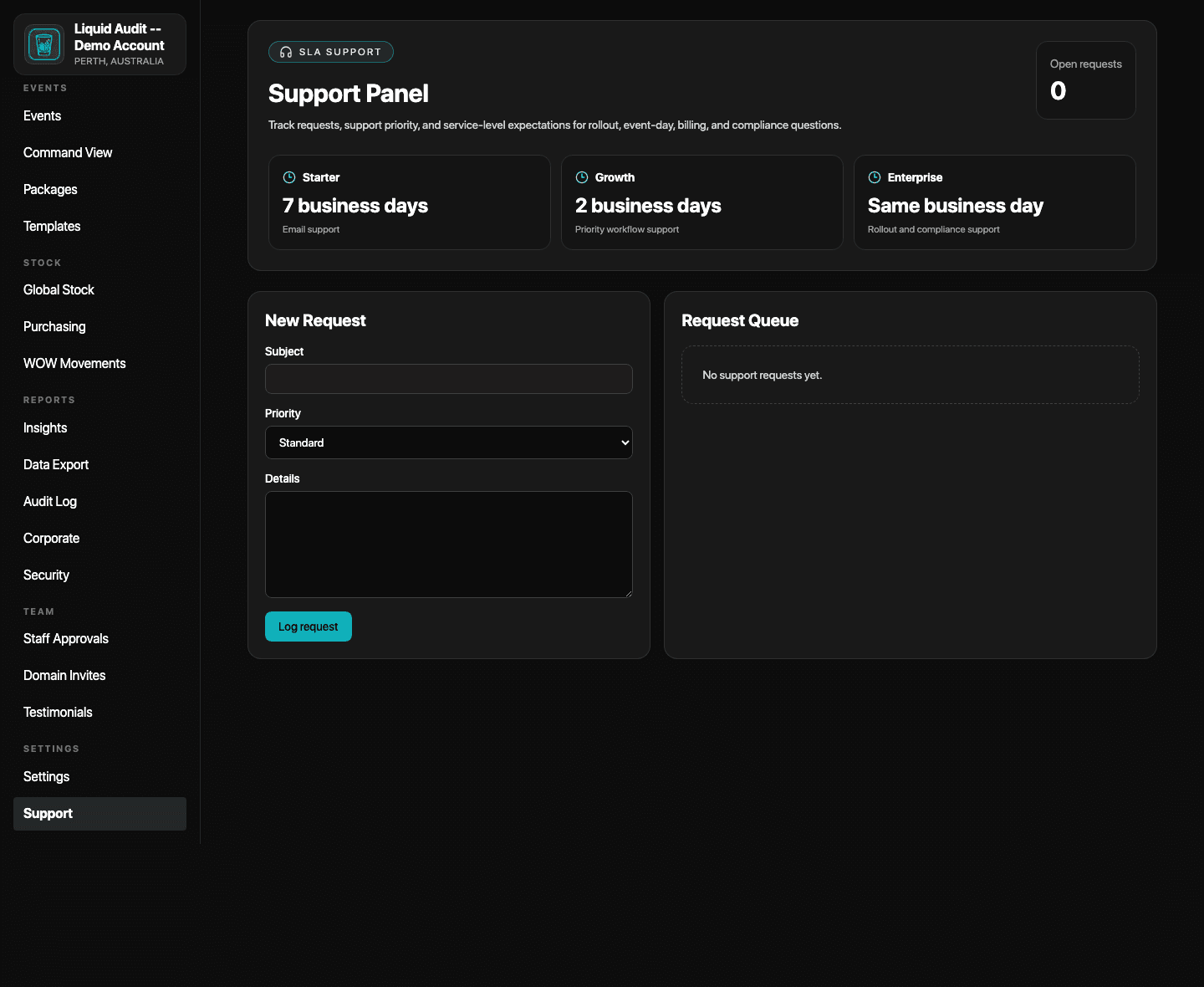
Support requests, SLA expectations, and request queues are now visible inside the platform.
- Track rollout, event-day, billing, or compliance questions.
- See request queue status instead of emailing into a void.
- Understand the response expectation attached to the subscribed plan.
WOW Movements
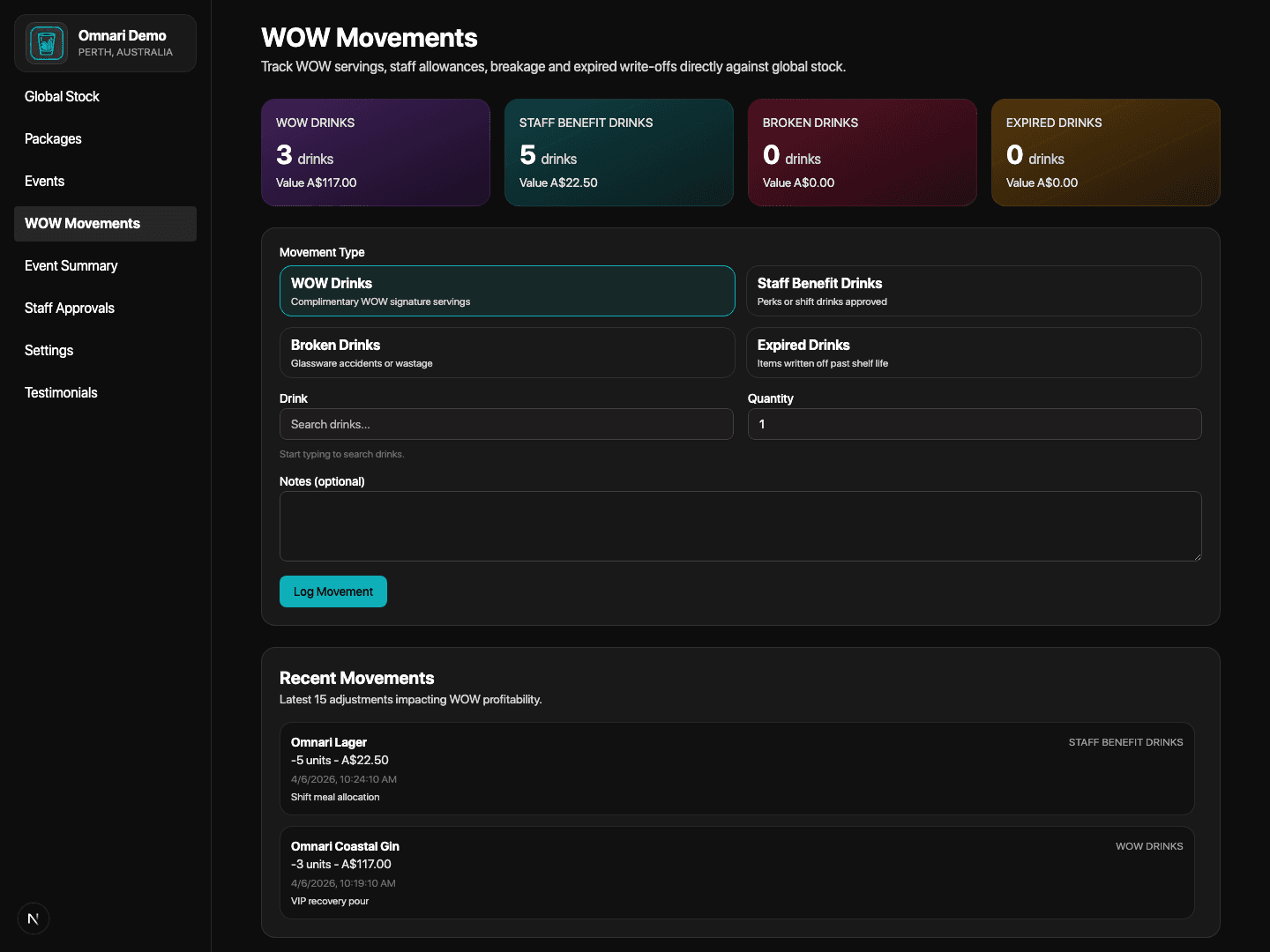
WOW servings, staff benefits, breakage, and expired write-offs stay visible with quantity and value attached.
- Log the movement that affected stock and value.
- Keep quantity and financial impact tied together.
- Preserve a clearer audit trail for review later.
Practical questions
Short answers venues usually want before they start.
These are the practical questions that tend to come up once a venue is close to subscribing or starting onboarding.
What happens after payment?
Once payment is completed, the owner code is emailed to the venue owner. That code is then used in Create Hotel to open the venue workspace and start onboarding.
How do staff get access to the venue?
Staff create their own account, search for the venue, and request access. The owner or manager then approves the right people inside Staff Approvals.
Does The Liquid Audit support QR ordering and live command visibility?
Yes. QR-ready stations, live service controls, and Manager Command View all sit inside the same operating workflow, so venues can manage orders, consumption, and event pressure from one platform.
How long does onboarding usually take?
Most venues can complete the first workspace setup quickly once the owner code, venue details, team list, and opening stock are ready. The remaining time depends on how much catalog data, how many templates, and how many event defaults need to be loaded.
What support response time comes with each plan?
Starter is positioned with a maximum seven-business-day response window, Growth with a maximum two-business-day response window, and Enterprise with a same-day support response target.
Next step
If your venue is considering The Liquid Audit, the path should feel official and easy to trust.
Use the official product website if you are ready to start immediately. Use Omnari if you want a more guided conversation first. Either way, the goal is the same: help your venue understand the product, the cost, and the setup path without confusion.
Official websites: theliquidaudit.com and theliquidaudit.com.au.